How to Use the Thick Impasto Procreate Brushes By Teju Jangid
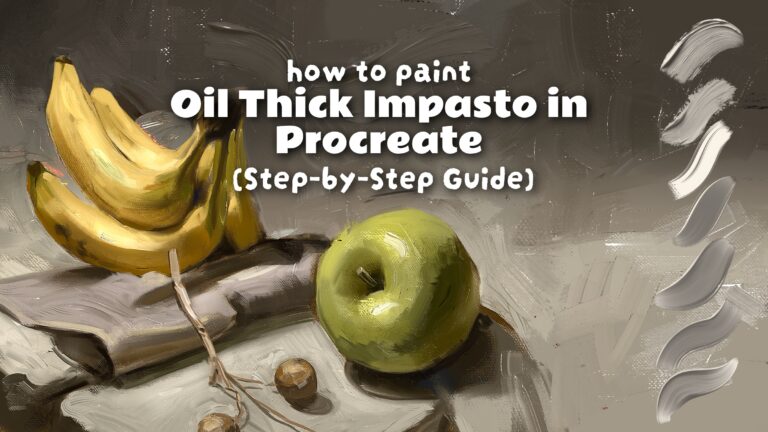
If you’ve recently purchased the Thick Impasto Procreate Brush Pack and want to achieve realistic oil painting effects, this guide will walk you through the entire process step by step.
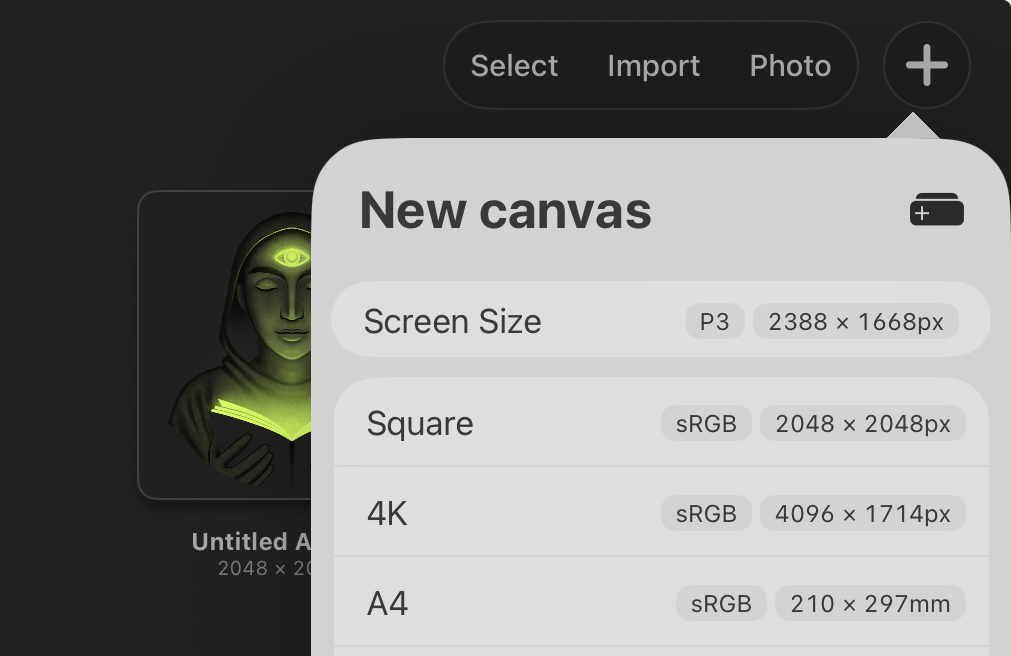
Step 1: Create Your Canvas
Start by creating a new canvas in Procreate. In this example, I’m using a square canvas. To give myself more room for details, I slightly increase both the width and height of the canvas before beginning the painting.
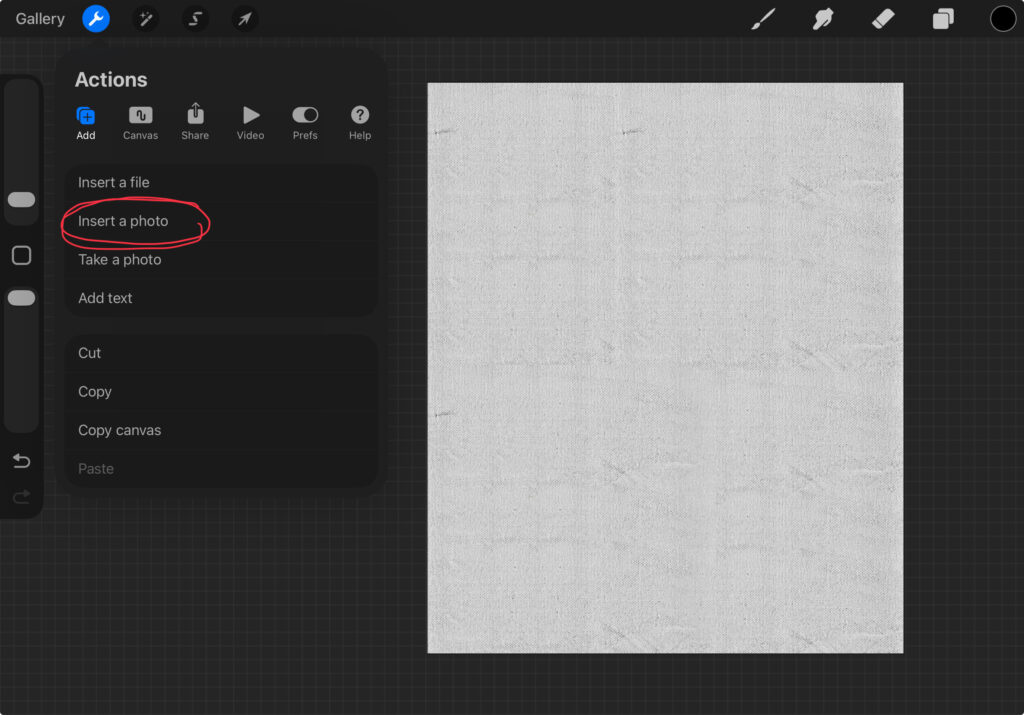
Step 2: Add the Canvas Texture
The brush pack includes a canvas texture file that helps create a realistic traditional painting look. Import the texture into your artwork.
If you prefer finer canvas grain, simply duplicate the texture layer and scale it up. Enlarging the texture makes the grain appear smaller and more subtle.
Step 3: Prepare the Background
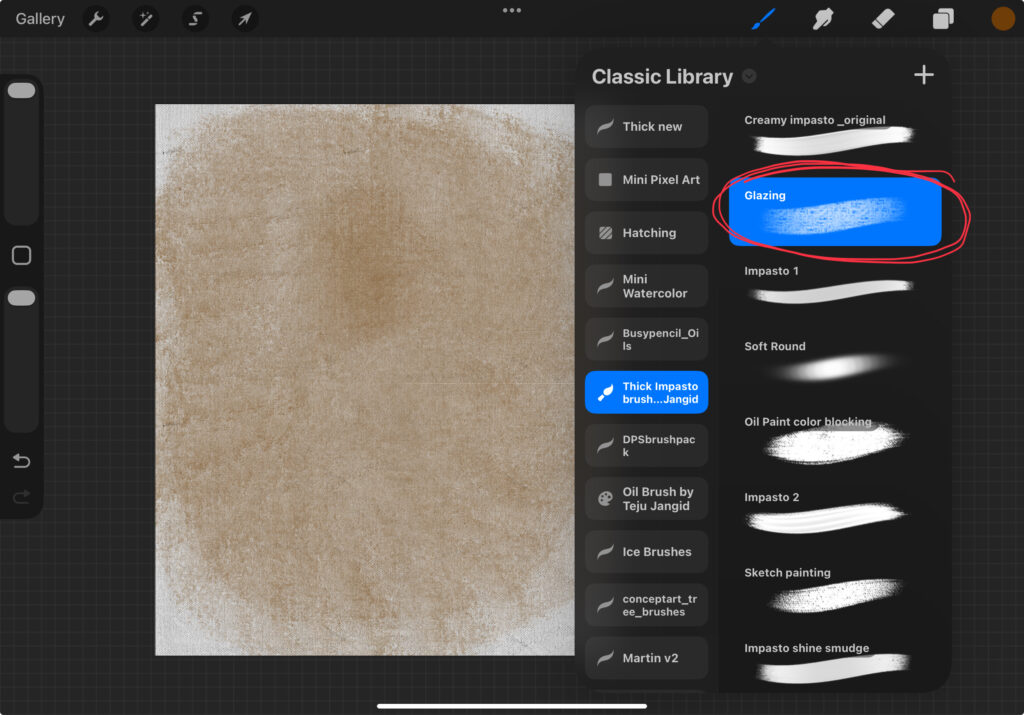
Select the Glazing brush from the brush pack and choose a Burnt Sienna color.
Using firm pressure, paint across the entire canvas. Without lifting your Apple Pencil, reduce the pressure and continue painting over the canvas once more. Keeping the stroke continuous is important because it allows the colors to blend smoothly.
Step 4: Create the Sketch
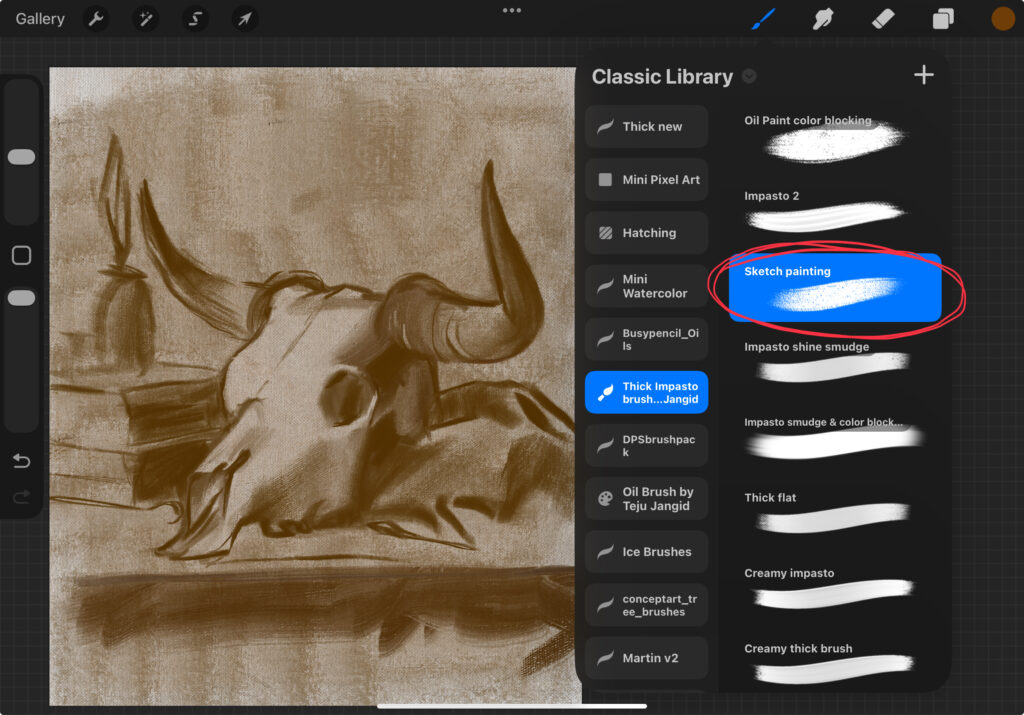
For sketching, choose the Sketch Painting brush.
Using the same Burnt Sienna color, draw your subject. This brush produces thin, painterly strokes that closely resemble traditional oil painting sketches.
Step 5: Color Blocking
Once the sketch is complete, it’s time to begin painting.
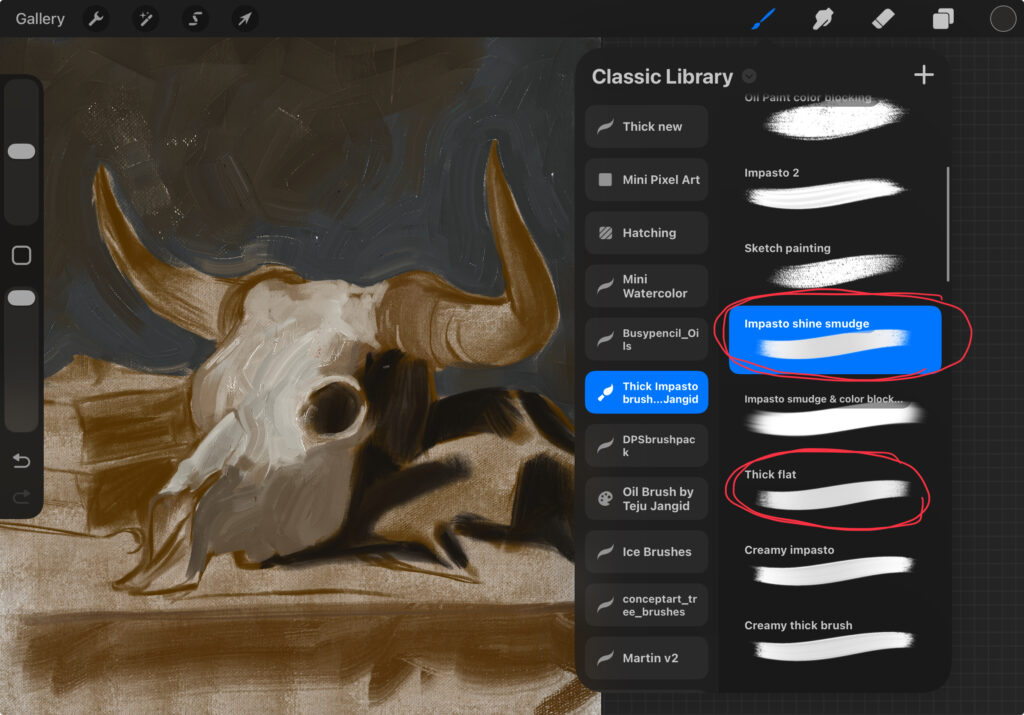
For color blocking, you can use either:
- Thick Flat
- Impasto Shine Smudge
These brushes are excellent for establishing large shapes and major color areas.
Step 6: Understanding Color Selection
The secret behind realistic impasto effects lies in color selection.
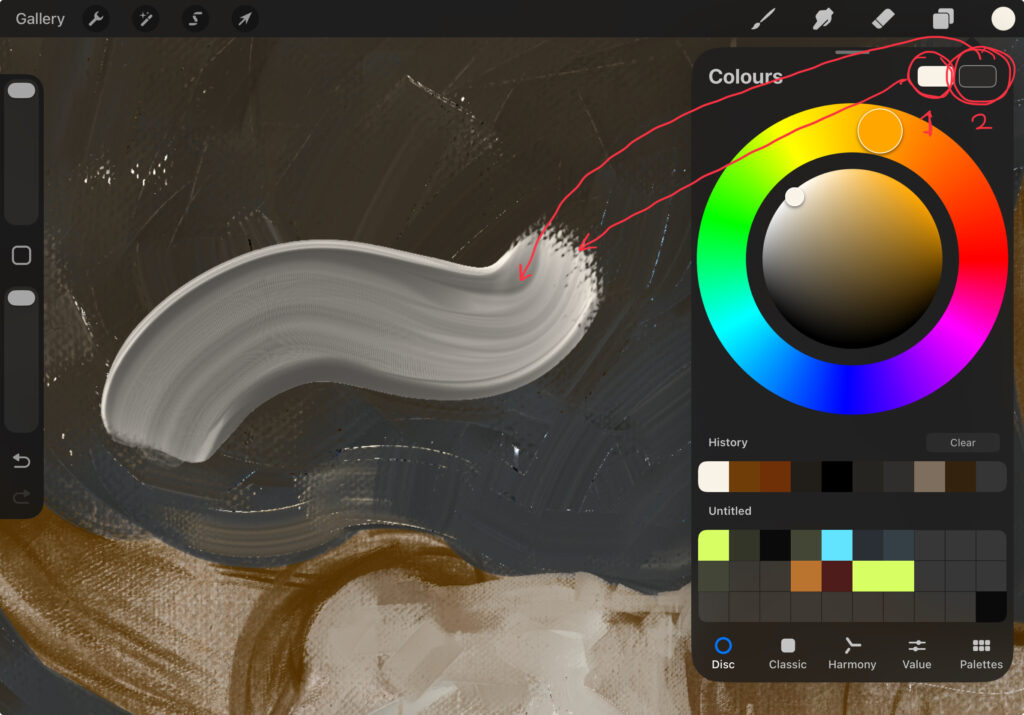
Most brushes in this pack use two colors:
- The first color is the main stroke color.
- The second color should be a darker version of the same color.
This combination creates depth and gives the strokes their thick, three-dimensional appearance.
Experiment with different pressure levels while painting. More pressure and less pressure will produce noticeably different textures and stroke characteristics.
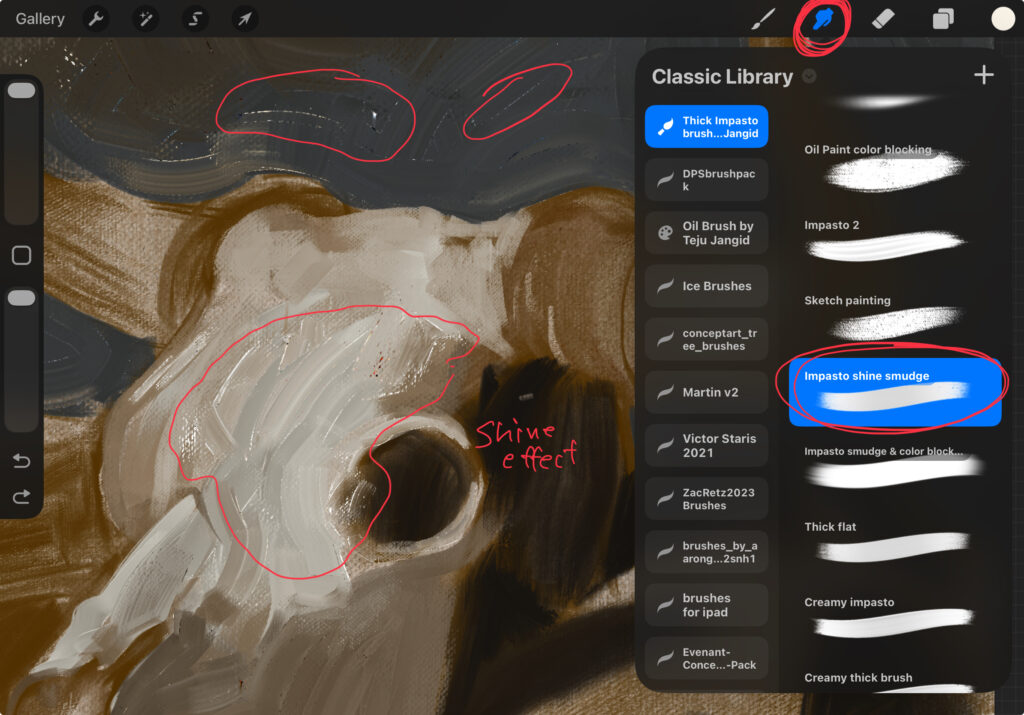
Step 7: Adding Realistic Paint Shine
One of the most distinctive features of oil painting is the way light reflects off thick paint sitting on the canvas texture.
To recreate this effect:
- Select the Smudge Tool.
- Choose the Impasto Shine Smudge brush.
- Begin smudging the painted areas.
Adjust pressure according to the effect you want. When working on lighter areas, remember to select a lighter color before smudging.
Step 8: Painting Thin Layers
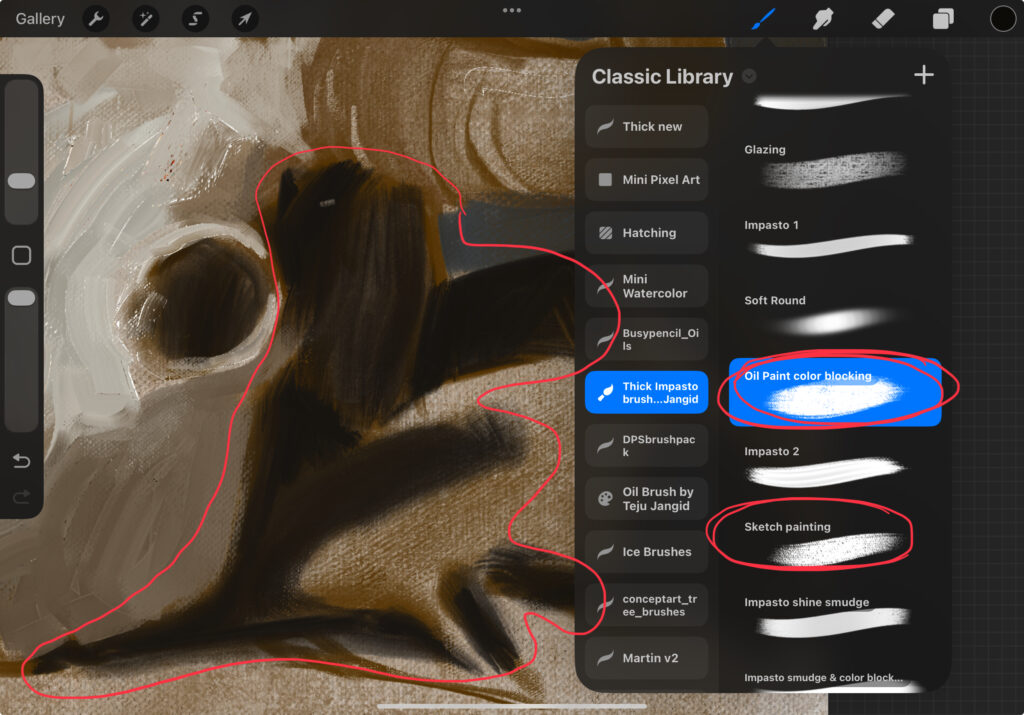
Not every area of a painting needs thick paint.
For darker regions or thinner paint applications, use the Sketch Painting brush. This helps create variation and prevents the artwork from looking uniformly thick.
Step 9: Using Stamp Brushes
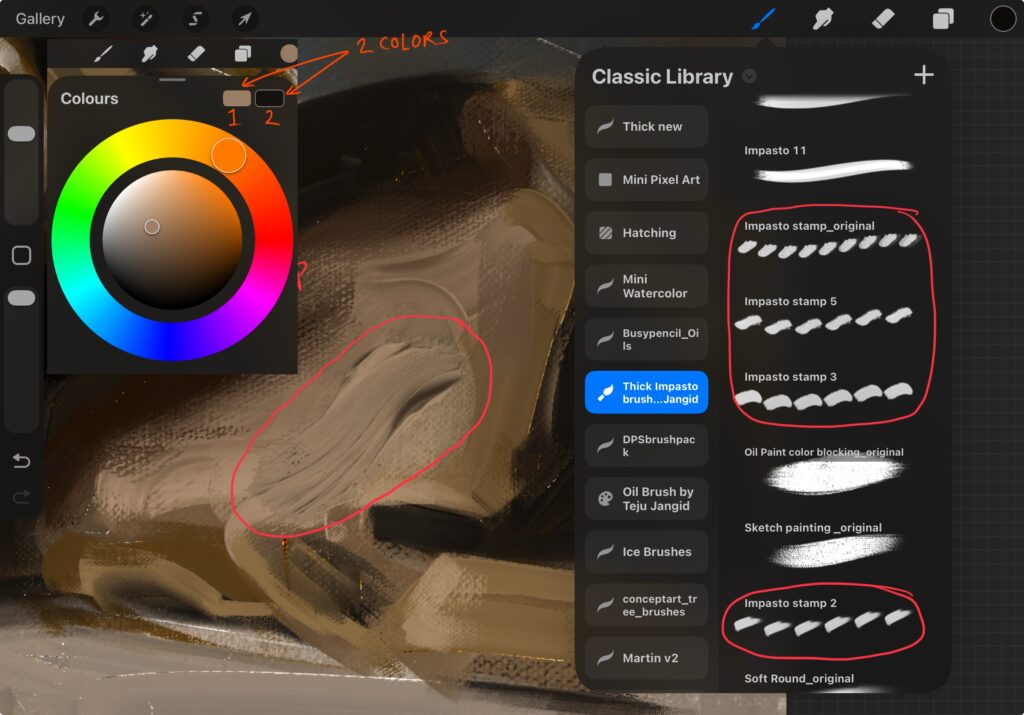
The brush pack also includes stamp brushes that can quickly add interesting textures and details.
To use them:
- Create a new layer.
- Choose a light color and a darker variation.(Main color in the first color slot. And Darker variation of that color in the second slot.)
- Tap once on the screen.
- Use the Selection Tool to move, rotate, resize, or position the stamp wherever needed.
Final Thoughts
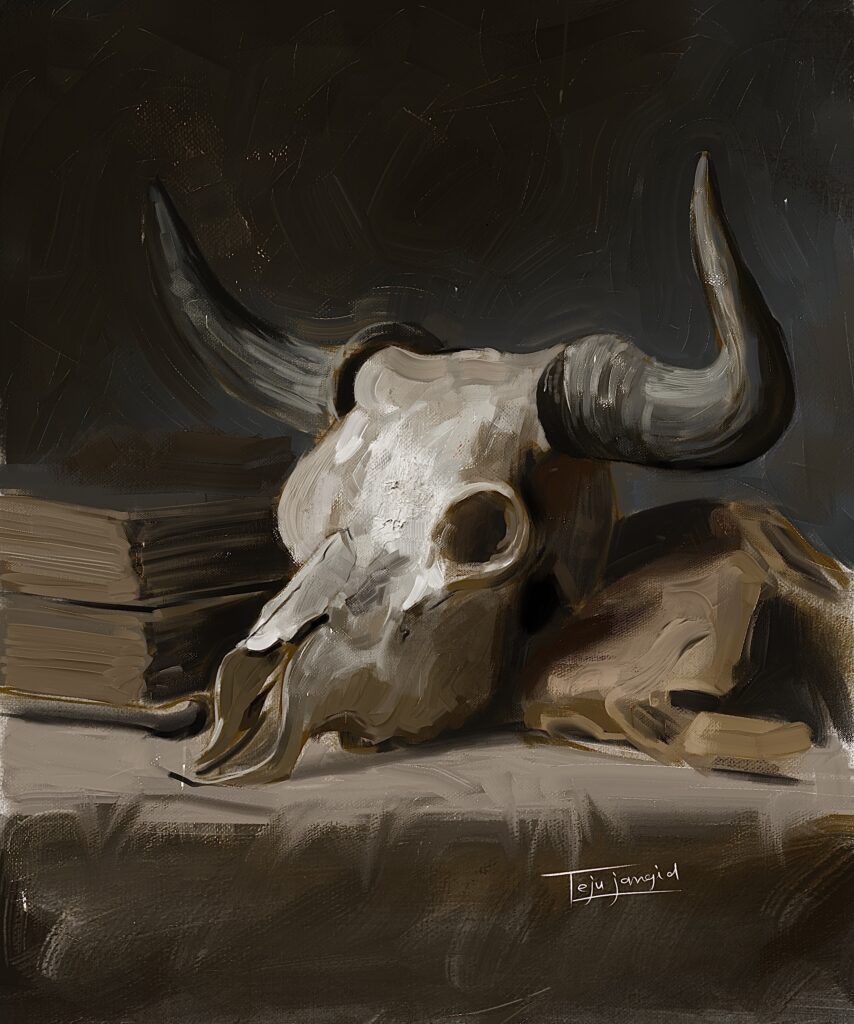
Learning proper color selection is one of the most important skills when using these brushes. Once you understand how the color system works, much of the process becomes significantly easier.
The remaining skill is learning how and where to smudge, which comes with practice and experimentation.
Need Help?
If you have any questions or run into problems while using the brushes, feel free to contact me on Instagram. I’ll do my best to help you personally and guide you through any issues.
Get the Brush Pack
Ready to start creating realistic impasto paintings?
Click the link below to get the Thick Impasto Procreate Brush Pack and start painting today.
Purchase directly from my website:
Get Brushes
Prefer Gumroad? Get the brushes here:
Get Brushes
.