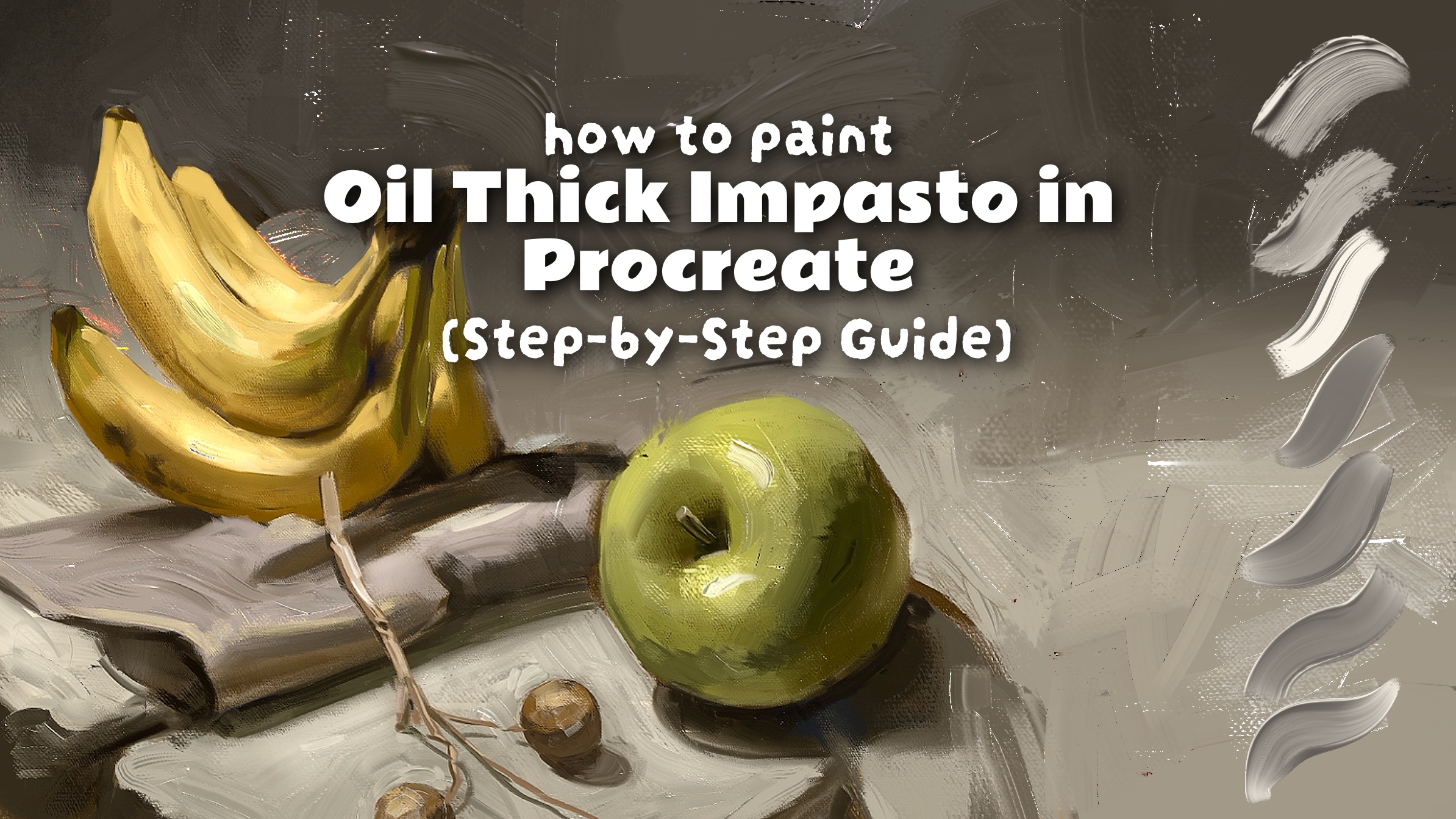
How to Paint Oil Thick Impasto in Procreate (Step-by-Step Guide)
If you’ve ever wondered how artists create those beautiful thick oil painting strokes in Procreate, you’re not alone. Many digital artists want to recreate the rich texture, depth, and shine of traditional oil paintings, but struggle to achieve convincing results using standard brushes.
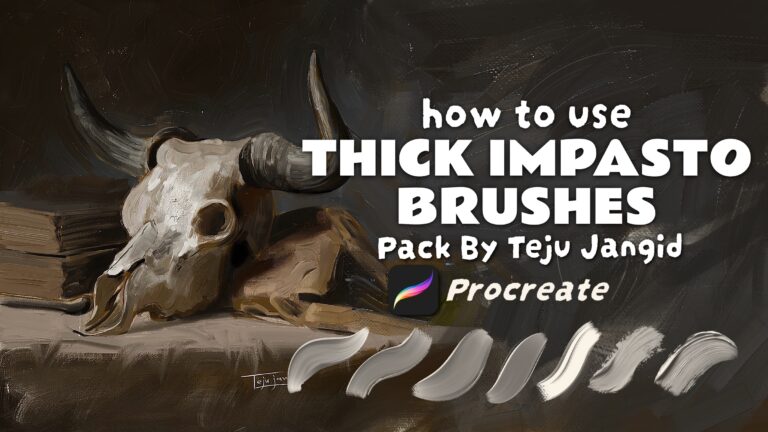
After years of studying traditional oil painting techniques and experimenting in Procreate, I created my own Thick Impasto Brush Pack to make the process easier and more realistic. In this guide, I’ll show you the exact workflow I use to create thick impasto paintings in Procreate.i
What Is Impasto Painting?
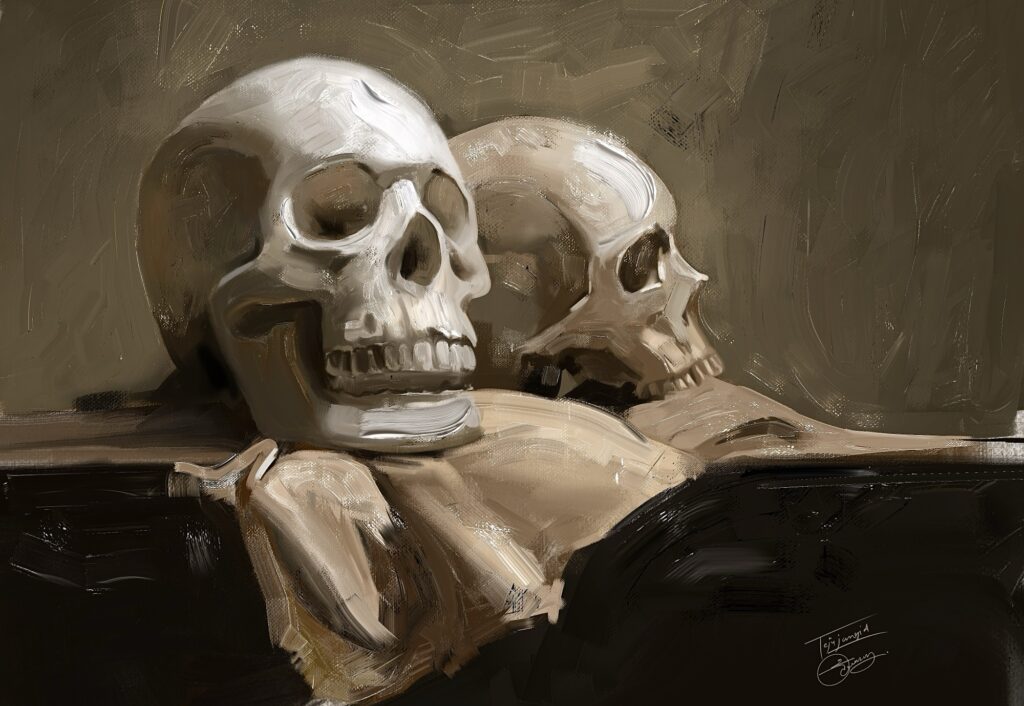
Impasto is a painting technique where paint is applied thickly enough that individual brush strokes remain visible on the surface. These raised paint strokes catch light and create a beautiful three-dimensional appearance.
Traditionally, artists achieve this effect using thick oil paint. In Procreate, the same look can be recreated using specialized brushes designed to simulate paint buildup, texture, and shine.
Can You Create Realistic Impasto Effects in Procreate?
Absolutely.
With the right brushes and workflow, you can create paintings that closely resemble traditional oil paintings on canvas. The key elements are:
- Canvas texture
- Thick brush strokes
- Color variation
- Paint shine
- Controlled blending
This is exactly what I designed my Thick Impasto Brush Pack to help artists achieve.
The Brushes I Use
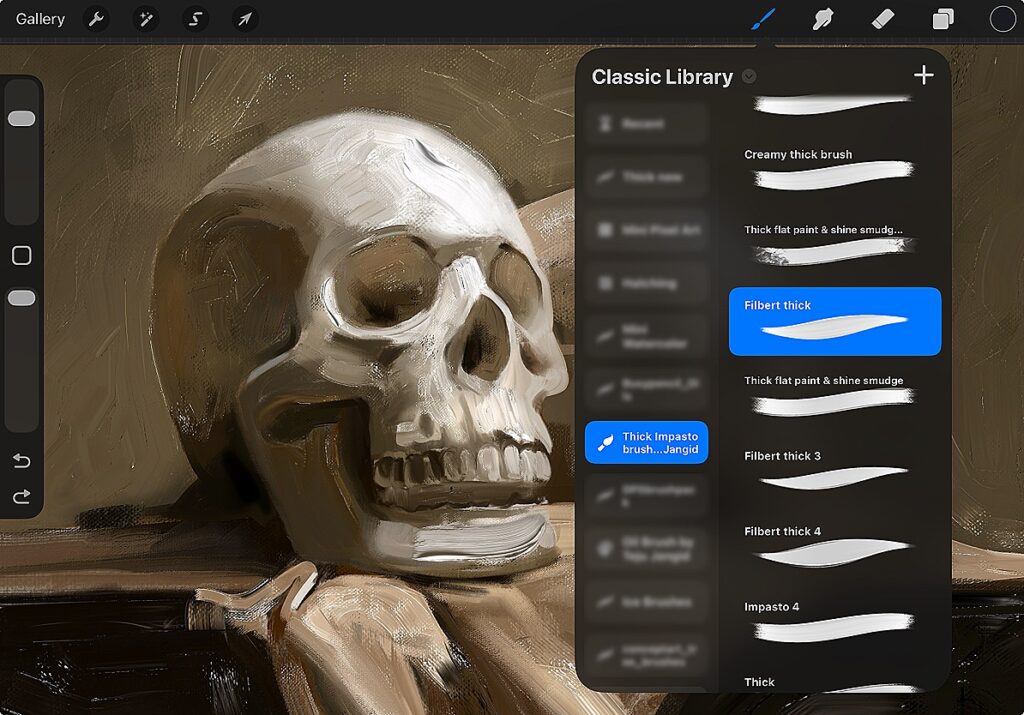
All of the examples shown in this article were created using my Thick Impasto Brush Pack for Procreate.
The pack includes:
- Glazing Brush
- Sketch Painting Brush
- Thick Flat Brush
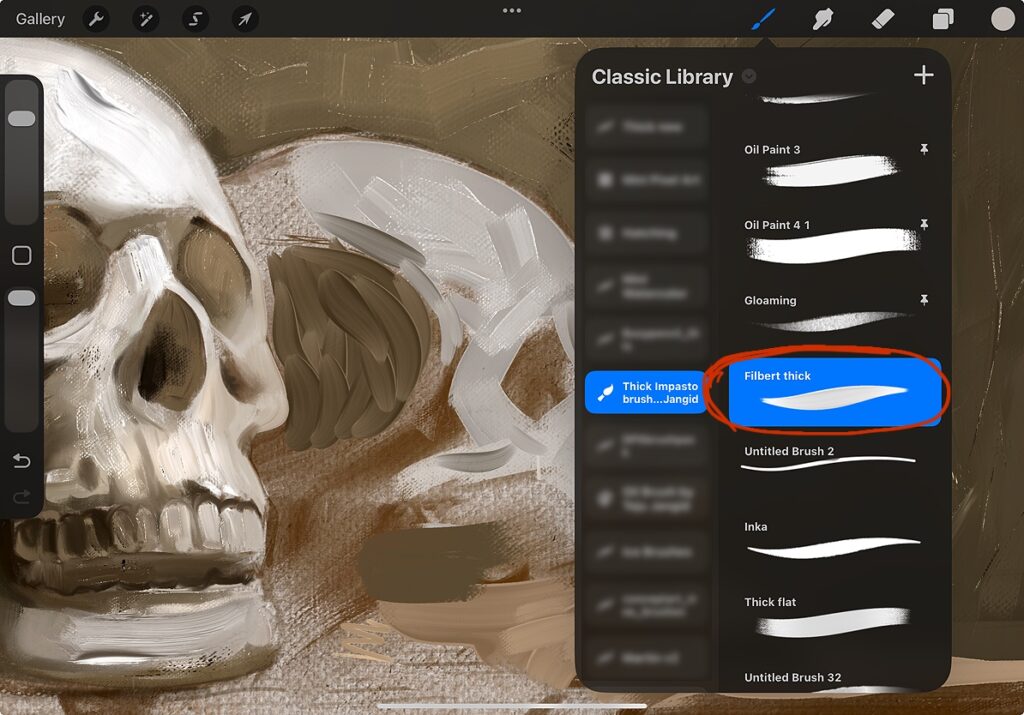
- Filbert Thick Brush
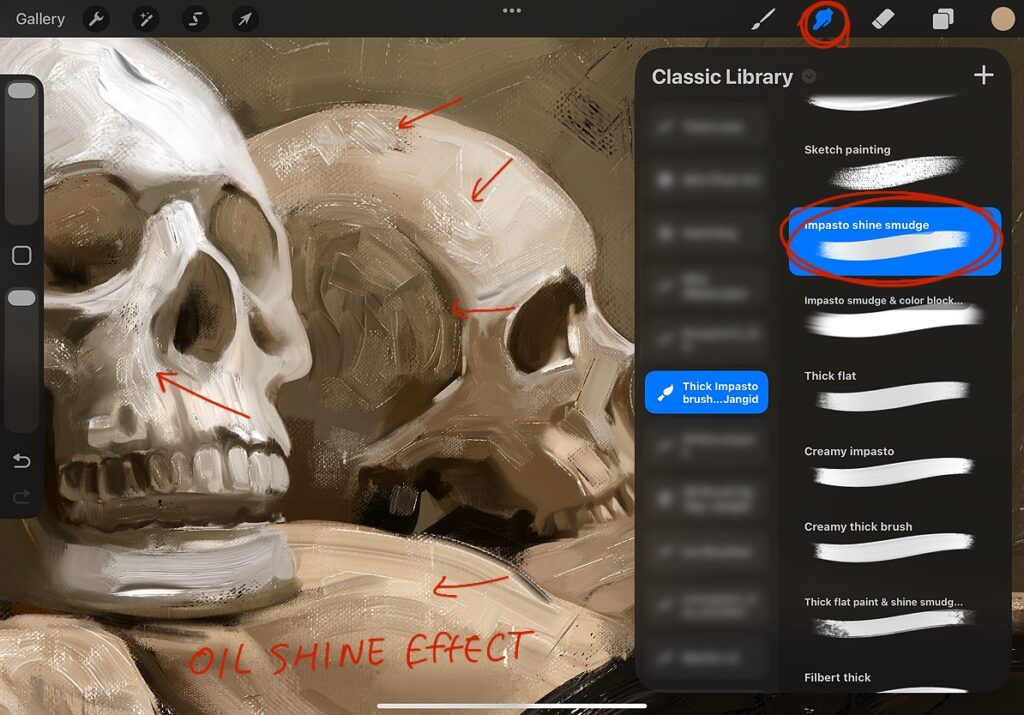
- Impasto Shine Smudge Brush I
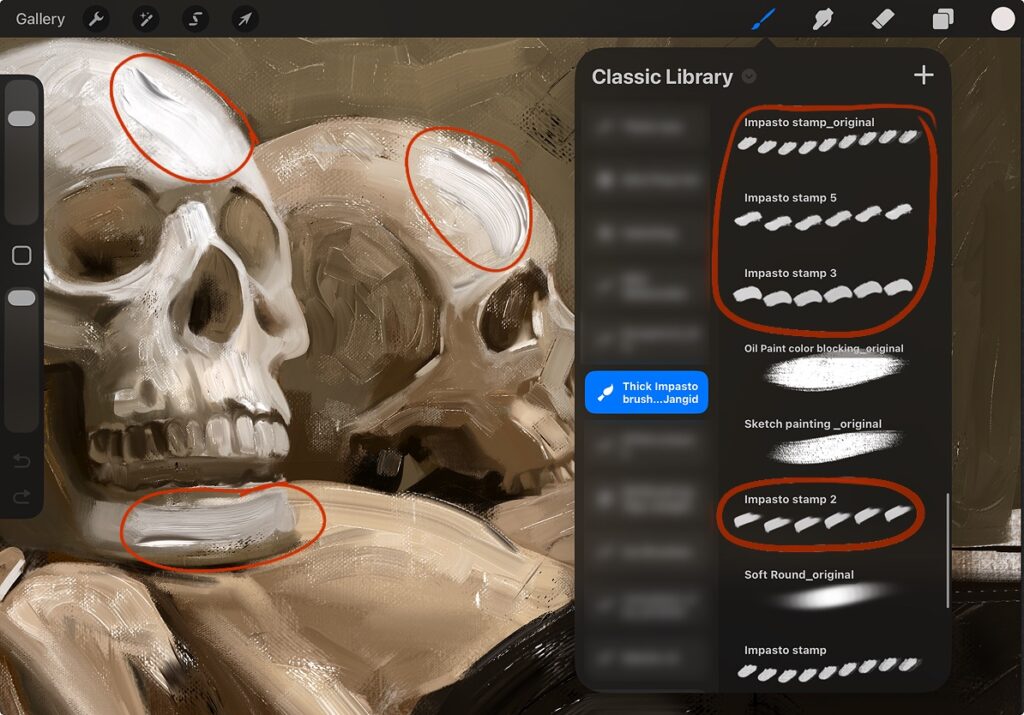
- Texture Stamp Brushes
- High-Resolution Canvas Textures
Step 1: Add a Canvas Texture
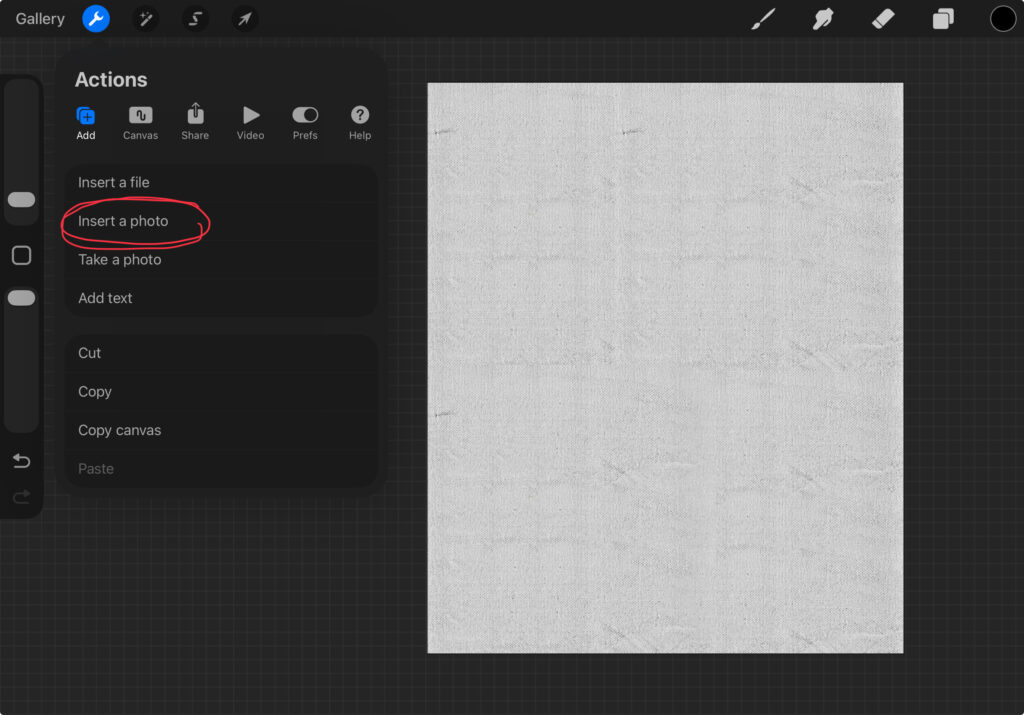
The first step is adding a realistic canvas texture.
The brush pack includes canvas textures that help create the appearance of real paint sitting on a traditional canvas surface.
You can scale the texture larger or smaller depending on the type of grain you want in your painting..
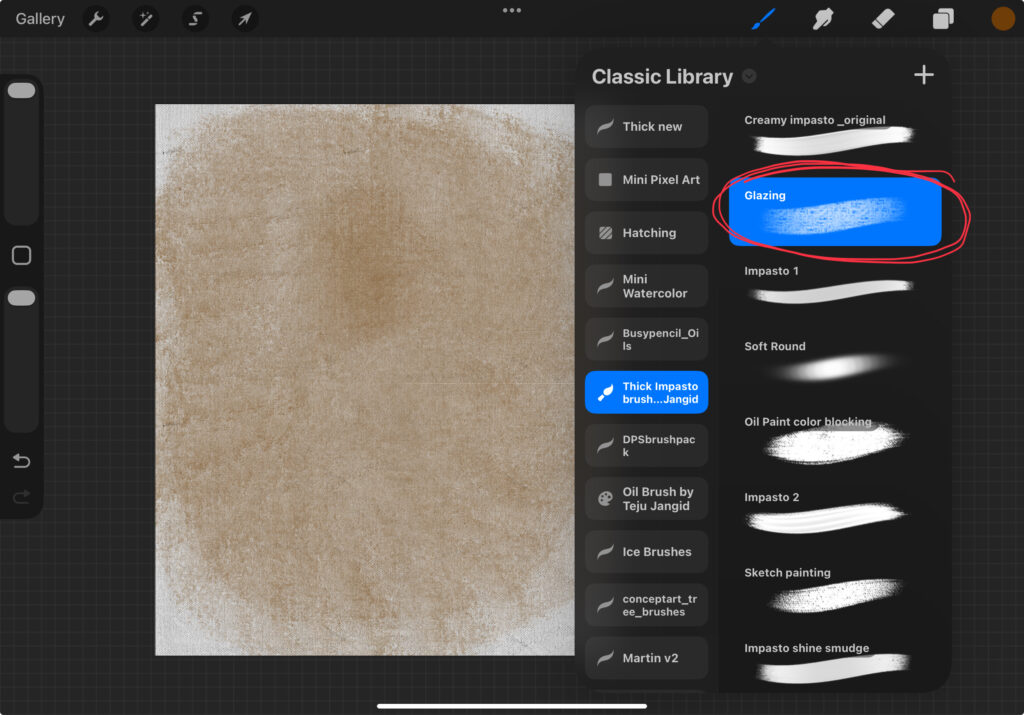
Step 2: Create a Warm Underpainting
I usually begin with a Burnt Sienna underpainting.
Using the Glazing Brush, apply the color across the canvas while varying your pressure. This creates a natural base layer that helps unify the painting.
Step 3: Sketch the Subject
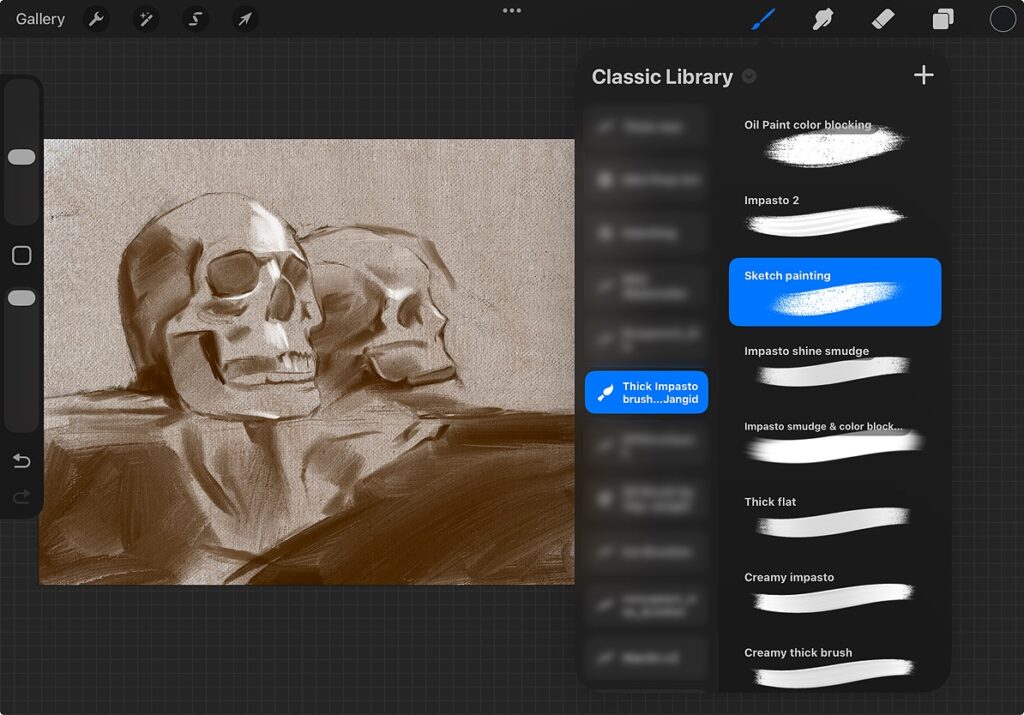
Next, use the Sketch Painting Brush to draw your composition.
This brush creates thin painterly lines that feel very similar to traditional oil painting sketches.
Step 4: Block In the Main Colors
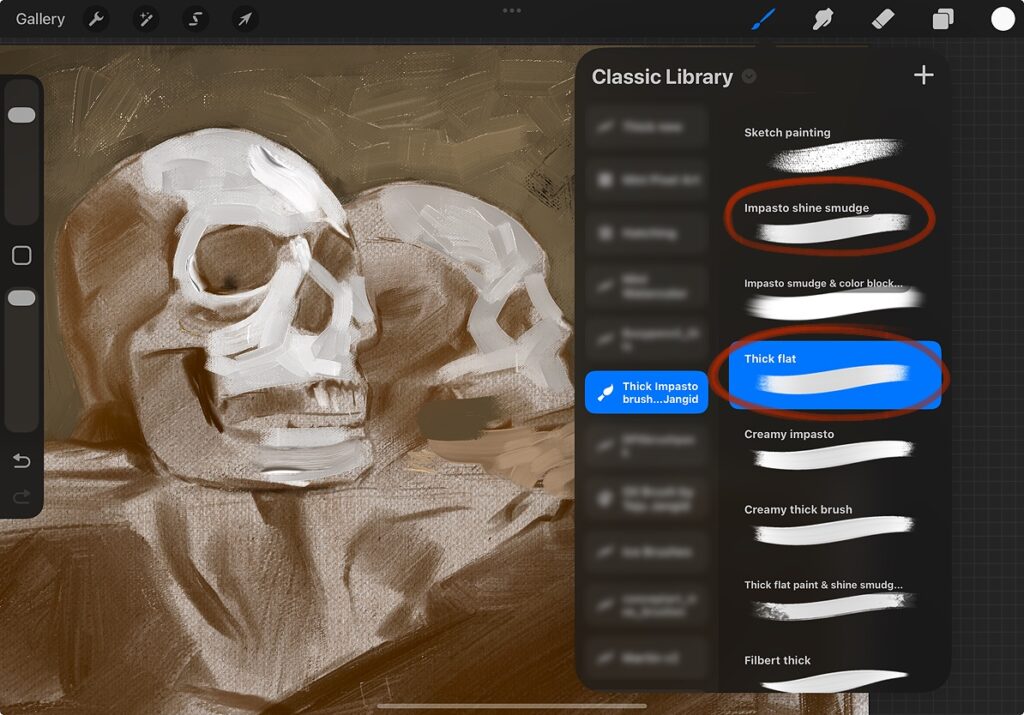
Once the sketch is complete, begin establishing the major shapes and colors.
For this stage, I typically use:
- Thick Flat
- Impasto Shine Smudge
These brushes allow you to cover large areas quickly while maintaining texture.
Step 5: The Secret to Realistic Impasto Strokes
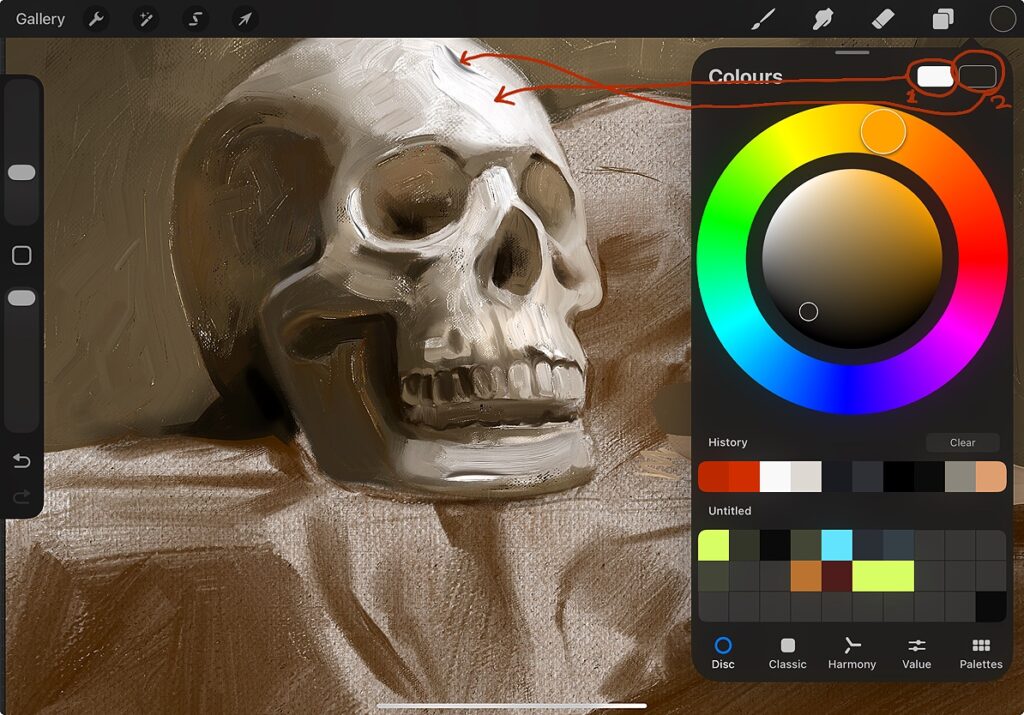
One of the biggest mistakes artists make is using only one color.
For realistic impasto effects, I recommend selecting:
- A main color
- A darker version of that same color
The interaction between these colors helps create the illusion of thick paint and depth within each stroke.
Step 6: Build Thick Paint Texture
Now it’s time to create the characteristic impasto effect.
Select the Filbert Thick Brush and begin applying confident strokes.
The amount of pressure you apply will affect:
- Stroke thickness
- Texture
- Paint buildup
- Brush mark visibility
Try varying your pressure to create more natural-looking paint application.
Step 7: Add Realistic Oil Paint Shine
One feature that makes traditional oil paintings so beautiful is the way thick paint reflects light.
To recreate this effect, use the Impasto Shine Smudge Brush.
Gently smudge selected areas to create subtle highlights and surface reflections that make the paint appear more realistic.
Step 8: Use Stamp Brushes for Extra Detail
The brush pack also includes texture and stamp brushes that can quickly add interesting thick brush stroke’s.
Simply create a new layer, place the stamp, and position it wherever needed.
Final Result
By combining canvas texture, proper color selection, thick brush strokes, and realistic shine effects, you can create digital paintings that closely resemble traditional impasto oil paintings.
The techniques themselves are important, but having brushes specifically designed for impasto painting makes the process significantly easier and produces more convincing results.
Get the Thick Impasto Brush Pack
If you’d like to create paintings like the examples shown in this tutorial, you can download my Thick Impasto Brush Pack for Procreate.
The pack includes every brush used in this workflow, along with canvas textures and stamp brushes to help you achieve realistic oil painting effects faster.
👉 Download the Thick Impasto Brush Pack Here
Purchase directly from my website:
Get Brushes
Prefer Gumroad? Get the brushes here:
Get Brushes
If you have any questions after purchasing, feel free to contact me on Instagram. I’ll be happy to help you get the most out of the brushes.
Tutorial Video
watch youtube video